AI App
 Astrology App
 Beauty Salon App
 Dating App
 E-Learning App
 Education App
 Ecommerce App
 Fintech App
 Food Delivery App
 Gaming App
 Grocery Delivery App
 Healthcare App
 Home Services App
 Hotel Booking App
 Ludo Game App
 Media Entertainment App
 OTT App
 Political App
 Pet Care App
 Real Estate App
 Taxi Booking App
 Travel App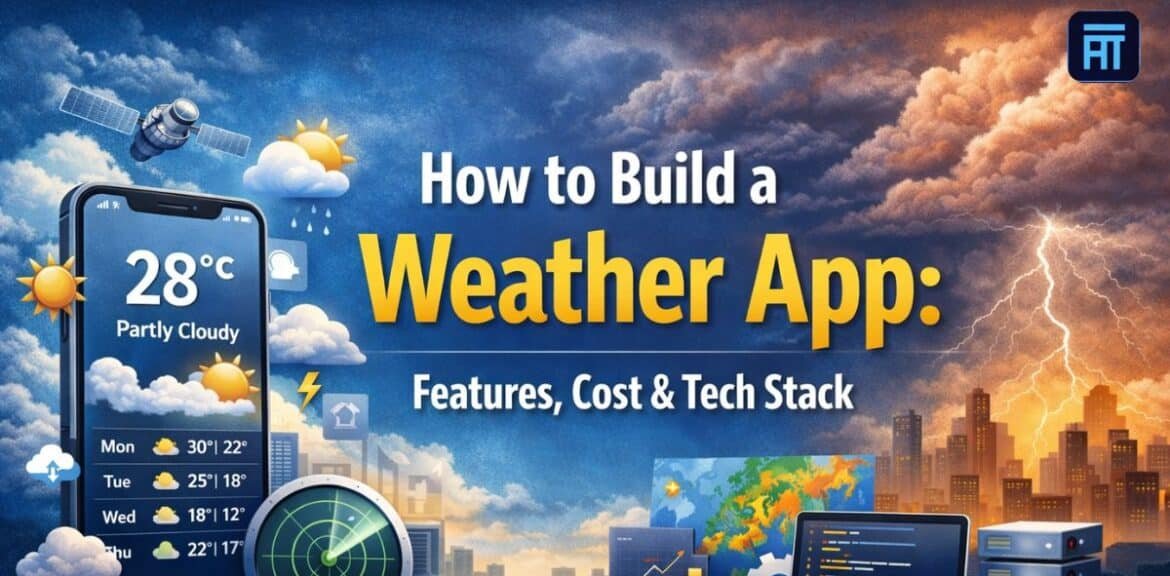

The demand for real-time, hyperlocal weather information is rapidly growing, as users increasingly depend on accurate forecasts to make daily decisions. For instance, whether people want to plan travel and fitness activities outdoors or manage agriculture, logistics, aviation schedules, and smart city infrastructure, weather apps are indispensable digital tools across all industries. Moreover, businesses are realizing that generic forecasts are no longer sufficient, and users demand precise, location-based insights delivered to their devices immediately.
This has prompted startups and enterprises that are paving the way through mobile app development to consider custom weather app development for their websites to improve data accuracy, enhance user experience, and open new avenues for monetization. Collaborating with a top mobile application development company can help get these concepts transformed into scalable solutions. Here, you will be introduced to major weather app features, stages of development, appropriate tech stack, price estimation, and professional tips derived from Astha Technologies.
What Is a Weather App and How Does It Work?
A weather app provides information on weather, such as temperature, precipitation, wind speed, and the weather forecast. These apps enable individuals and enterprises to make decisions based on the weather by delivering timely, location-based weather updates on their mobile phones, via the web, or on wearables.
Typically, basic weather apps provide only a one-day or one-week forecast with a dozen data points, while more sophisticated forecasting platforms offer much more, including hyperlocal forecasts, severe weather warnings, radar maps, and air quality information. The higher-end apps are usually industry-specific, such as agriculture or aviation, where the need for accuracy and dependability is extremely high.
There are different ways of acquiring data for weather apps, such as weather APIs, satellite, radar technology, and IoT sensors. The frontend makes the data comprehensible to users, whereas the backend is responsible for data processing, user management, and giving instructions. APIs are used to retrieve the most recent data, while cloud computing enables growth, speed, and real-time synchronization. Many companies partner with a best mobile app development company in Noida to create robust, data-intensive weather applications.
Types of Weather Apps
Basic weather forecast apps offer common weather data such as current temperature, hourly updates, and short-term forecasts. These apps serve everyday people who only need a quick glance at general weather conditions.
- Hyperlocal weather apps deliver very accurate, location-specific weather forecasts. They leverage advanced data sources to provide street-level updates, making them perfect for city dwellers and outdoor enthusiasts alike.
- Weather apps for agriculture equip farmers with the capability to keep track of rainfall, soil moisture, humidity, and temperature variations. Such apps facilitate crop planning, irrigation scheduling, and risk management.
- Travel and aviation weather apps provide extensive weather forecasts, turbulence warnings, wind data, and visibility reports. They are a necessity for travelers, pilots, and airline operations.
- Disaster alerts and emergency weather apps instantly issue warnings about the weather, including storms, floods, heatwaves, and other extreme events, so that users can take appropriate safety measures.
- Enterprise and industry-specific weather solutions target sectors such as logistics, energy, construction, and smart cities to incorporate weather data into business operations and decision-making systems.
Why Build a Custom Weather App?
Users and businesses are more and more dependent on accurate weather forecasts as they use real-time data for planning, safety, and work effectiveness. A custom weather app can give organizations a way to present very accurate, location-based data that users need, rather than data from big third-party platforms.
Having your own custom weather platform offers solid business benefits such as a variety of revenue streams, enhanced brand awareness, and increased user engagement. Besides, it allows you to easily connect your weather app with other digital products and services. A mobile app development company in Chandigarh, India can be a great partner for a business to build scalable, reliable weather solutions that are in line with long-term growth ambitions.
Step 1: Define Your Target Audience and App Purpose
Identifying the target audience is essential for creating a successful weather app. Potential users may be those using the app daily for getting quick forecasts, professionals, including farmers, pilots, and logistics teams who require very accurate data, and travelers who use the app to get the latest updates for making their plans. Different user groups have various needs, expectations, and accuracy requirements, which have a direct impact on app features.
Which is better: accuracy or simplicity, worldwide or local, consumer or business? This decision needs to be made even before development begins. Having a clear idea of these questions prevents the addition of unnecessary features and design complexity. A mobile app development company can be a great help in turning the results of the target audience research into the right feature set, an intuitive UI design, and a clear app purpose.
Step 2: Choose the Right Weather App Business Model
The business model you select will determine how your weather app can generate revenue and continue to develop. Astha Technologies helps companies decide on monetization strategies that are most aligned with customer expectations and market conditions.
- Free app with ads (Ad-supported model): Gives users weather data at no charge and makes money from showing ads and sponsored content placements.
- Subscription-based weather app: Offers the use of premium forecasts, detailed analytics, and no ads for a subscription that can be paid monthly or yearly.
- Freemium model: Users have access to basic weather features without charge, but have to pay for advanced features such as alerts and detailed, location-specific insights.
- Enterprise licensing model: A company that provides weather-based products and services to other companies with whom they enter into long-term contracts. This model focuses on helping the client achieve efficient operational planning and effective risk management.
- API monetization strategy: Weather data is packaged in such a way that third-party apps and other enterprise customers can become buyers of this information. They get it through an API, which is an interface for program interaction, and its access is tightly controlled and given on the basis of usage.
Step 3: Core Features of a Weather App
Features are the core factor that determines the success of a weather app. They must be customer-focused and, at the same time, maintain attributes of accuracy, speed, and reliability. A robust feature set will meet the daily needs of regular users, provide deep knowledge for power users, and give administrators complete control over data and the operations they can manage.
Essential User Features
- Location-based weather detection
- Real-time weather updates
- Hourly, daily, and weekly forecasts
- Temperature, humidity, wind speed, and air pressure
- Sunrise and sunset timings
- Weather alerts and notifications
- Multiple location tracking
- Unit conversion (Celsius/Fahrenheit)
Advanced User Features
- Hyperlocal weather forecasting
- Radar maps and satellite imagery
- Air quality index (AQI)
- UV index and pollen forecast
- Severe weather alerts and disaster warnings
- Weather-based activity suggestions
- Voice assistant integration
- Offline access to last-synced data
Admin Panel Features
- API management
- User analytics and engagement tracking
- Notification management
- Content and alert moderation
- Subscription and payment control
Step 4: UI/UX Design for Weather Apps
The role of UI/UX design is very important in ensuring that weather info is easy to read, comprehend, and react to. A nice interface layout greatly increases user satisfaction and daily interaction, which is why a mobile app development company in India puts a lot of emphasis on user-friendliness and visual neatness.
- Clear and minimalistic designs that make it easy for the user to check the weather conditions
- Deliberate leveraging of colors to map out visually weather patterns and the degree of their severity
- Engaging use of interactive charts and graphs for planning, forecasting, and showing trends
- User-friendly interface that allows the user to find the present weather, weather forecast, and weather warnings fast
- Dark mode and other accessibility features are there to help make reading and usage comfortable
- Design consistency across mobile, tablet, wearable, and web platforms
- Gathering user feedback on wireframes, prototypes, and usability testing allows developers to tweak the user journey prior to development
Step 5: Choose the Right Technology Stack for Weather App Development
The technology stack behind a weather app determines how quickly data loads, the accuracy of updates, and the app’s overall performance during peak usage. Given that weather apps depend heavily on real-time data, APIs, and cloud services, it is essential that every technical layer be selected with utmost care. A well-pitched stack very much contributes to the delivery of a smooth-running app that provides accurate weather forecasts and is capable of scaling up to meet the growing user demand.
| Area | Commonly Used Technologies |
| Frontend | Kotlin, Java, Swift, Flutter, React Native, React, Angular |
| Backend | Node.js, Python, Java, REST APIs, GraphQL |
| Weather Data | OpenWeatherMap, WeatherAPI, Tomorrow.io, AccuWeather, NOAA |
| Database | PostgreSQL, MongoDB, Redis |
| Cloud | AWS, Google Cloud, Azure |
| Security | API limits, encryption, authentication, and caching |
Step 6: Weather App Development Process
Typically, a weather app is the result of deep thought, even before a single screen is designed. The team first rigorously researches the market, sees what users really want, and decides which features to develop first. Verifying the availability of weather data sources and APIs and whether their accuracy meets the app’s purpose is also a part of this stage.
Following that, preliminary wireframes and simple UI mockups are made to understand how users will navigate through the app. Gradually, development kicks off with basic screens, then backend and API integrations that fetch weather data. The testing is continuous throughout the phase, not only at the end, to identify and fix problems related to data accuracy, app speed, or security. When all issues are resolved, the app is launched in the stores, and its performance is closely watched. Teams like Astha Technologies take a practical, real-world approach, and this is the process they followed.
Step 7: Advanced Weather App Features for 2026
Weather apps are becoming smart assistants that do much more than just provide forecast information. A mobile app development company in Delhi NCR that is geared for the future will prioritize features that enhance precision, customization, and business applications.
- AI-based weather prediction models: Leverage historical and live data pattern recognition to sharpen prediction accuracy, minimize errors, and change predictions on the go.
- Machine learning personalized forecasts: Track user location, activity, and preferences to serve users the weather information that fits their usage habits.
- IoT device integration: Establish connections with sensors, wearables, and smart devices to gather real-time environmental information for enhanced forecasting.
- Predictive analytics for businesses: Empower businesses to optimize logistics, workforce, and overall operations based on data-backed weather trend forecasts and risk evaluations.
- Voice-based weather updates: Users will be able to get weather forecasts and warnings by simply talking to their mobile devices or smart assistants without using their hands.
- Augmented reality visualization: Use AR technology to show live weather information data in the user’s environment, which makes weather forecasts more fun and pictorially easier to understand.
- Climate trend dashboards: Use graphics to show weather patterns over a long period of time and changes in the climate for purposes of research, planning, and making strategic decisions.
Step 8: Launch and Marketing Strategy
Simply submitting your weather app to an app store is not enough when it comes to launching it. A well-planned launch helps attract early users, establish credibility, and lay the groundwork for long-term development. Managing technical readiness and promotion is generally a joint decision with the mobile app development company to avoid last-minute problems.
- Publishing a beta version for collecting feedback from real users, finding the gaps in accuracy, and resolving performance problems before opening to the public
- Using keywords, screenshots, and descriptions that take into account the app store listing by optimizing it in order to make the app more visible and to increase the number of organic downloads
- Using digital marketing and paid advertising to promote the campaigns to the target users via the platforms of search engines and social media
- Partnering with travel, agriculture, logistics, or fitness brands to widen the reach and build trust
- Creating easy onboarding processes and engagement methods that not only make the users use the app regularly but also keep them for a long time
Step 9: Post-Launch Maintenance and Updates
Launching a weather app is just the first step. To keep the data accurate, the app running smoothly and the users happy, you have to do maintenance continuously. Regular API updates are necessary to keep weather info trustworthy, and performance checks let you identify issues such as speed, downtime, or data latency. When users’ app usage changes, minor technical tweaks can prevent major issues from developing.
Post-launch updates are also about improving the app based on actual user behavior. Gradually, new features are added, bugs are fixed, and user feedback is carefully implemented to improve usability. Additionally, as the number of users increases, the infrastructure needs to be scaled to accommodate more traffic and data requests. Astha Technologies assists businesses in weather app maintenance, helping them to respond to the changing demands and evolving technologies through long-term support.
Weather App Development Process: Step-by-Step Roadmap
| Development Stage | Description |
| Planning and Research | Market study, user expectations, feature list, and weather data availability |
| UI/UX Design | Wireframes, screen layouts, and user flow basics |
| Frontend Development | App screens for forecasts, alerts, and weather views |
| Backend Development | Servers, databases, APIs, admin logic |
| Weather API Integration | Live weather data, forecasts, and historical data |
| Core Weather Features | Location-based weather, alerts, multiple cities |
| Advanced Weather Features | Radar, air quality, and detailed insights |
| Testing and QA | Feature checks, data accuracy, performance |
| Deployment | App store publishing, server setup |
| Post-Launch Support | Updates, monitoring, fixes |
Design Tools Used to Develop a Weather App
A weather app is the result of effective collaboration between designers and developers. It requires exquisite UI/UX, quick experimentation, and trustworthy data integrations. On the one hand, designers are keen on making the app user-friendly and easy to read. On the other hand, developers work on the seamless functionality and precision of weather forecasts. Below are some of the tools that designers use for interface visualization, for developers to create cross-platform applications, gather weather data, and enhance the accuracy of predictions using AI models.
| Design Purpose | Tools Used |
| Wireframing & UI Design | Figma, Adobe XD |
| Rapid Prototyping | Uizard |
| Cross-Platform App Development | Flutter, React Native |
| Web App Development | HTML, CSS, JavaScript |
| Weather Data APIs | OpenWeatherMap API, WeatherBit API |
| No-Code / AI Web Tools | WeWeb |
| AI/ML Forecasting Models | TensorFlow, PyTorch |
Backend for Weather App Development
| Backend Component | Recommended Technologies |
| Programming Languages | Node.js, Python |
| Databases | PostgreSQL, MongoDB |
| Weather Data APIs | OpenWeatherMap API, WeatherBit API |
| Cloud Services | AWS, Google Cloud |
| Caching Systems | Redis |
| CI/CD Pipelines | Jenkins, GitHub Actions |
| Load Balancers | NGINX, AWS Elastic Load Balancer |
| Security | OAuth 2.0, HTTPS, API rate limiting |
Cost of Developing a Weather App
What it costs to build a weather app comes down to various things like how complicated the features are, how accurate the data needs to be, what platform you want, and whether or not you use APIs from third parties. A regular app with basic forecast features will be way cheaper than a top-notch or corporate solution that comes with AI models, super local data, and the ability to scale up massively.
| Complexity Level | Estimated Cost (INR) | Estimated Timeline |
| Basic Weather App | ₹ 4 Lakhs – ₹ 5 Lakhs | 4–6 Months |
| Moderate Weather App | ₹ 6 Lakhs – ₹ 8 Lakhs | 6–9 Months |
| Advanced Weather App | ₹10 Lakhs – ₹ 14 Lakhs+ | 9- 12 Months |
Why Astha Technologies Is a Top Weather App Development Company
Building a reliable weather app from the ground up is not just about coding. It’s more about having deep knowledge of API integrations, real-time data processing, and scalable system design. Astha Technologies is a weather app development company, design and develop weather apps that people can trust in terms of accuracy, performance, and reliability, thus capable of handling uninterrupted data updates smoothly. Our team, as a top app development company in Chennai, works on developing secure infrastructure and efficient architecture that can support high traffic while at the same time providing consistent forecast delivery.
In addition, Astha Technologies guides enterprises to achieve a quicker time-to-market through optimized development workflows and proven technology stacks. After the launch, the team continues to provide support, performance monitoring, and tuning to keep the app running smoothly and responsive. Such a long-term strategy is geared to your weather app scaling, evolving, and staying competitive as user demand increases.
Conclusion
It is essential to understand the user needs thoroughly, decide on a feature set perfectly, and pick a technology stack wisely when it comes to developing a weather app that can be successful in the market. The must-have features, such as real-time updates and location-based forecasts, sit alongside highly sophisticated AI-generated predictions and data visualization. Every feature is meant to work together to provide the user with the most accurate and reliable weather information. Developing an application in a structured manner ensures the convenience and efficiency of planning, design considerations, development, and testing activities, resulting in a reliable final application.
However, selecting the right weather APIs and system architecture is just as important. The combination of trustworthy data sources, powerful backend services, and scalable cloud infrastructure enables the application to handle frequent updates and the growing number of users without performance problems. The concepts of accuracy and scalability in weather applications are not extras one can decide to have or not after the fact. They are basically the keys to users’ faith in and use of the app over the long term. For this reason, collaborating with an leading mobile app development company in Gurgaon, India can be your game-changer. Astha Technologies is here to walk with you every step of the way if you decide to transform your weather app idea into a fully working app that provides all weather information. Contact us now and be one step ahead in developing a weather app that is accurate, high-performing, and expandable in the future.