AI App
 Astrology App
 Beauty Salon App
 Dating App
 E-Learning App
 Education App
 Ecommerce App
 Fintech App
 Food Delivery App
 Gaming App
 Grocery Delivery App
 Healthcare App
 Home Services App
 Hotel Booking App
 Ludo Game App
 Media Entertainment App
 OTT App
 Political App
 Pet Care App
 Real Estate App
 Taxi Booking App
 Travel App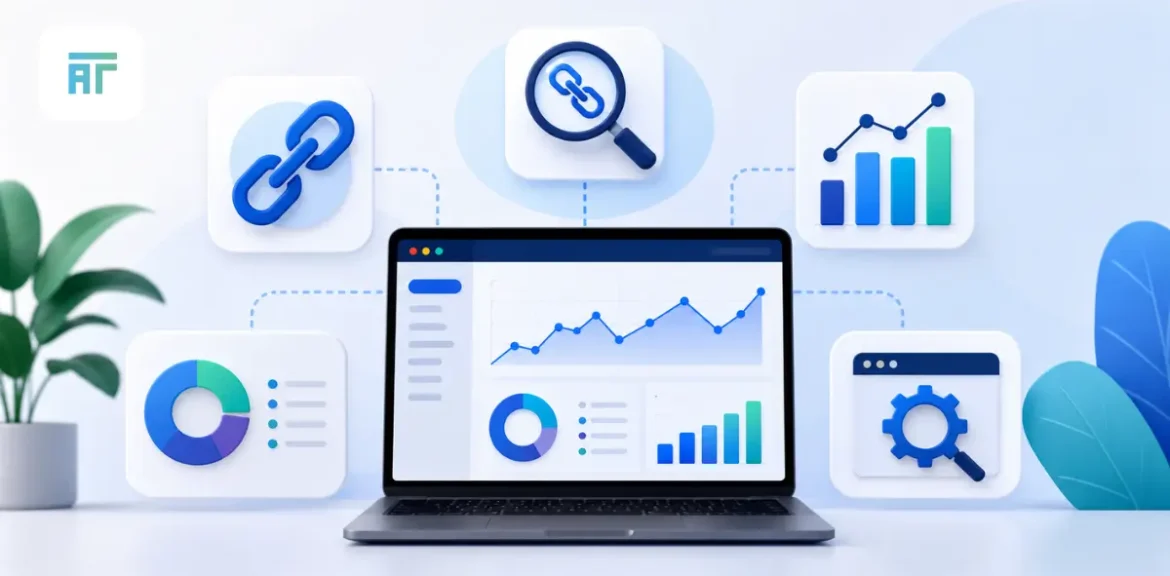

A backlink profile can look healthy from the outside and still hide problems. One page may attract strong editorial links, while another may collect weak directory mentions, copied-page links, or anchors that look too planned. Without proper review, a site owner may keep building links without knowing which pages already have strength and which ones need attention.
A backlink checker helps answer that. It shows who links to a website, which pages receive links, what anchors are being used, and where new or lost links may affect SEO work. The right tool can also help you compare competitors, find outreach ideas, and judge whether a link profile looks steady or messy.
This guide reviews five tools: Ahrefs, Semrush, Majestic, Ubersuggest, and Moz. Each tool has a different use case. Some are stronger for deep analysis, some work better for simple checks, and some are useful when the budget is tight. The purpose is not to crown one winner for every business. The purpose is to help you choose a tool that matches your backlink work.
What Does a Backlink Checker Tool Actually Do?
A website backlink checker shows the pages and domains linking to your website. It can review a full domain, a subdomain, or a single URL, depending on the tool. The main data points include referring domains, backlinks, anchors, follow or nofollow status, target pages, new links, lost links, and quality-style metrics.
The real value is not the link count. A site can have thousands of backlinks and still have weak link strength if most links come from copied pages, low-quality directories, unrelated blogs, or spam-heavy domains. Another site may have fewer backlinks but stronger referring domains, better anchor variety, and links from pages that make sense for the topic.
A useful checker helps you read that difference. It can show whether a homepage gets all the links while service pages remain ignored. It can reveal repeated money anchors that may need review. It can also help find pages that earned links in the past but now return errors after a redesign or migration.
Competitor review is another major use. If several competing sites keep earning links from resource pages, guest posts, review articles, directories, or statistics pages, that pattern can guide your outreach. A free backlink checker may give a quick sample, but deeper SEO work often needs better filters, larger data sets, and export options.
Backlink checking should lead to action. A report should help you decide which links are strong, which links need review, which pages deserve more internal support, and where the next outreach effort should begin.
How to Choose the Right Backlink Checker Tool
Start with the size and freshness of the backlink database. A tool that finds links slowly may miss recent outreach wins, lost placements, or competitor movement. Fresh link discovery matters when you are tracking guest posts, PR coverage, site migrations, or monthly campaign work.
Next, check how the tool explains link quality. Every platform has its own scoring method. Ahrefs uses metrics such as Domain Rating and URL Rating. Semrush uses Authority Score. Majestic is known for Trust Flow and Citation Flow. Moz uses Domain Authority and Page Authority. These scores help sort large reports, but they should never replace manual review.
Open a few linking pages before trusting the number. Check whether the page has a real article, a clear topic, reasonable outbound links, and a natural reason to mention the target website. A high-score domain can still publish poor guest posts. A smaller niche website can still send a useful link.
Ease of use also matters. An agency may need exports, repeatable reports, and competitor comparisons. A founder may need a quick dashboard. A link builder may need anchor filters, lost link tracking, and link gap views. A content team may care about which articles attract references.
Pricing should match the work. Paying for a heavy platform makes little sense if you only check links once a quarter. A backlink checker free tool can help with light checks, while paid tools work better for audits, campaign monitoring, and competitor research.
Quick Comparison of the 5 Best Tools
| Tool | Best use | Strong area | Better fit |
| Ahrefs | Deep link research | Large backlink views, lost links, competitor gaps | Agencies, link builders, SEO teams |
| Semrush | Wider SEO workflow | Backlinks with audits, keywords, and competitors | In-house teams, agencies, marketers |
| Majestic | Link intelligence | Trust Flow, Citation Flow, historic link data | Link auditors, advanced SEO users |
| Ubersuggest | Budget-friendly checks | Simple backlink and competitor views | Beginners, small websites, solo marketers |
| Moz | Authority review | DA, PA, Spam Score, linking domains | Consultants, small teams, content teams |
This table should be used as a shortlist, not a final decision. Ahrefs is stronger when backlink depth is the main job. Semrush is a better fit when the same team handles technical audits, keywords, rankings, competitors, and links. Majestic suits users who want a link-focused platform rather than a broad marketing suite.
Ubersuggest is useful for lighter work, simple competitor checks, and teams that need a low-friction starting point. Moz is easier to read when the task is authority review, basic backlink health, or client-friendly reporting.
No tool catches every link. Each platform crawls and processes the web differently. Different backlink totals across tools are normal. The smarter approach is to use the tool consistently, review the same metrics over time, and pair numbers with page-level judgment.
1. Ahrefs Backlink Checker
Why Ahrefs works well for deep backlink checks
The ahrefs backlink checker is strong when you need detailed backlink data rather than a quick top-level count. It can show referring domains, backlinks, anchors, followed and nofollowed links, and link movement over time. Ahrefs also highlights its ability to show the complete picture of followed and nofollowed links for a target.
This makes it useful when a site loses rankings after a redesign, migration, or content update. You can check whether older linked pages broke, whether redirects were missed, and whether important referring pages still point to the correct URL.
Where Ahrefs helps in competitor research
Ahrefs is also useful for competitor backlink review. If a rival page keeps gaining links, you can inspect the referring domains, anchors, and pages responsible for that growth. This helps reveal whether links come from resource pages, guest posts, review sites, roundups, directories, or editorial mentions.
The data is helpful for outreach planning, but it should not be copied blindly. Some competitor links may be weak, paid, outdated, or irrelevant. The stronger move is to study repeated patterns and then build something worth pitching.
Where Ahrefs may feel too much
Ahrefs can feel heavy for small websites that only need a quick backlink snapshot. The data is powerful, but it requires experience. A beginner may open a report and face hundreds of rows without knowing what needs action.
It is better suited for regular audits, link reclamation, competitive niches, and active outreach. Teams using backlink data every week will get far more from it than someone running a one-time check.
2. Semrush Backlink Checker
Why Semrush works well for wider SEO work
The semrush backlink checker is useful when backlinks are part of a larger SEO review. Semrush connects link data with keyword research, site audits, competitor insights, and reporting. Its backlink page highlights data such as backlinks, referring domains, Authority Score, anchor text, and follow or nofollow status.
This helps when ranking movements cannot be explained by links alone. A page may lose traffic because a strong backlink disappeared, but technical errors, weaker content, or keyword shifts may also be involved. Semrush lets a team inspect those areas in one workflow.
What users can review inside Semrush
Backlink Analytics helps users review referring domains, target pages, anchors, backlink types, authority-style metrics, and competitor comparisons. The paid Backlink Analytics version gives deeper reports, filters, and insights for fuller backlink profile review.
Backlink Audit is also useful when a profile looks messy. It can help group suspicious links and guide manual checks before any serious cleanup decision. The tool should support human judgment, not replace it.
Where Semrush may feel broad
Semrush can feel wider than needed if someone only wants backlink data. The platform includes many SEO and marketing tools, which is helpful for agencies but may slow a beginner at first.
It works best for teams handling audits, content, rankings, and links together. For specialist link digging alone, some users may prefer a tool built more tightly around backlink intelligence.
3. Majestic SEO Backlink Checker
Why Majestic is built for link intelligence
The Majestic SEO backlink checker is different from many broad SEO platforms because its identity is strongly tied to backlinks. Majestic focuses on link intelligence and uses its own metrics, including Trust Flow and Citation Flow, to help users assess backlink profiles.
Trust Flow and Citation Flow are useful when a user wants to compare link quality and link volume patterns. Topical Trust Flow can also help review whether a site’s link profile matches its subject area.
Where Majestic helps during audits
Majestic can be useful when a website has an old or complicated backlink profile. Its Fresh Index and Historic Index can help users review recent link data and older link patterns. This can be helpful after domain purchases, migrations, penalty reviews, or long-term backlink cleanup projects.
A link auditor can use Majestic to look for unnatural patterns, heavy anchor repetition, irrelevant referring domains, or link clusters that need closer inspection. It works well when the user already knows what to look for.
Where Majestic may feel technical
Majestic may feel less friendly for beginners. Its metrics are useful, but they need explanation. Someone new to SEO may not immediately understand how Trust Flow, Citation Flow, topical categories, and historic link views should guide decisions.
It is a stronger fit for advanced users, agencies, and link auditors. Users looking for keyword research, content tools, or a full marketing dashboard may need another platform alongside it.
4. Ubersuggest Backlink Checker
Why Ubersuggest works for simpler backlink checks
The ubersuggest backlink checker is a practical option for users who want a lighter entry into backlink analysis. Ubersuggest positions its backlink tool around finding who links to you and your competitors, with a free checker available through Neil Patel’s platform.
This makes it useful for beginners, small business owners, bloggers, and solo marketers who do not want to start with a complex paid platform. It can help users see backlink sources, competitor links, and basic link-building ideas without a steep learning curve.
Where Ubersuggest helps small teams
Ubersuggest can be helpful for quick reviews. A user can check whether a page has any backlinks, compare a competitor, or look for simple outreach ideas. It also sits inside a wider SEO platform that includes keyword research, site audits, rank tracking, and competitor analysis.
For a small website, that mix may be enough. A founder or marketer can review links, spot content gaps, and plan basic outreach without needing advanced filters.
Where Ubersuggest may feel limited
Ubersuggest may not satisfy advanced link builders who need deeper indexes, stronger filtering, historic views, and heavy competitor research. Its strength is accessibility, not specialist-level backlink investigation.
It works best when the task is light monitoring, early competitor review, or basic link discovery. For larger audits, migration reviews, and aggressive outreach campaigns, a deeper tool may be needed.
5. Moz Backlink Checker
Why Moz works for authority review
The moz backlink checker, also known through Moz Link Explorer, is useful for teams that want a readable backlink review without a dense technical setup. Moz is widely associated with Domain Authority, Page Authority, linking domains, inbound links, anchor text, and Spam Score-style checks.
This makes it helpful when users need quick authority comparisons, early audits, or client-friendly backlink explanations. A consultant can use Moz to explain why two domains differ in link strength without overwhelming the client with too many report layers.
What Moz helps users review
Moz Link Explorer can show linking domains, inbound links, top pages, anchor text, and authority-style metrics. Spam Score can help flag links that deserve closer inspection, although it should never become the final decision by itself.
Anchor review is also useful. If a profile leans too heavily on repeated commercial phrases, Moz can help make that visible. The report can guide a safer anchor mix across future outreach, PR, and guest posting work.
Where Moz may feel light
Moz may feel limited for advanced backlink prospecting or large-scale audits. Users who need deeper competitor discovery, historic movement, or detailed link reclamation work may want a heavier tool.
Its best role is clean backlink review, authority comparison, and easier reporting. It suits small businesses, consultants, content teams, and users who want clarity before depth.
Free Backlink Checker vs Paid Backlink Checker
A google backlink checker is a phrase many beginners search for, but Google does not provide a public competitor backlink checker in the same way SEO platforms do. Google Search Console can show links for a verified website, which is useful for owners reviewing their own domains. It does not let users fully inspect competitor backlink profiles.
Free tools help when the task is small. A site owner can run a quick check, confirm whether a few backlinks exist, or get a sample of referring domains. Ahrefs, Semrush, Majestic, Ubersuggest, and Moz all offer different levels of free or limited backlink access, though deeper reports often sit behind paid plans.
Paid tools become useful when backlink work affects money, reporting, or strategy. Agencies need exports and repeatable reports. Link builders need competitor gaps, anchor filters, and lost link checks. In-house teams need reliable monitoring after campaigns, PR pushes, and website updates.
The choice depends on risk and frequency. If you only check your own links once in a while, a free option may be enough. If backlink data guides outreach, budget, cleanup, or client reporting, a paid tool will save time and reduce guesswork.
How to Use Backlink Checker Tools Properly
Start with referring domains, not raw backlink count. One website can create hundreds of links through tags, archives, sidebars, or repeated templates. Ten links from ten useful referring domains may be more meaningful than 500 links from one weak source.
Next, inspect the pages that link to you. Look at the article topic, placement, anchor text, outbound links, and whether the page has a reason to mention your website. A backlink inside a relevant article body is different from a link in a footer, sidebar, copied paragraph, or empty profile.
Anchor text needs careful review. A healthy profile includes branded anchors, page titles, plain URLs, partial-match phrases, and natural wording. Repeated commercial anchors can create a pattern worth reviewing, even when the referring domains look decent.
Track new and lost links. New links show whether outreach, PR, or content work is producing results. Lost links may reveal deleted pages, broken redirects, changed articles, or expired placements. High-value lost backlinks may deserve recovery through redirects or outreach.
Competitor reports should be used with caution. A competitor’s backlink list can reveal useful publisher types, content formats, and outreach angles. It can also include weak links, paid placements, and old directories. The smarter move is to filter the pattern, then choose only the opportunities that match your niche.
Common Mistakes While Using Backlink Checker Tools
- The first mistake is treating backlink count as the main score. A large count can hide weak links, repeated domains, scraper pages, and irrelevant mentions. Referring to domain quality gives a clearer view.
- The second mistake is trusting one metric blindly. DA, DR, Authority Score, Trust Flow, Citation Flow, and Spam Score are useful filters. They are not search engine verdicts. A manual page check remains necessary before keeping, rejecting, or chasing a link.
- The third mistake is ignoring anchors. Repeated keyword-heavy anchors can look planned. A natural profile has variety. Brand names, URLs, article titles, and partial phrases all have a place.
- The fourth mistake is copying competitor backlinks without context. Some competitor links may be paid, outdated, low value, or placed on websites with poor editorial habits. Use competitor data for clues, not as a shopping list.
- The fifth mistake is forgetting lost links. A page can lose a strong backlink after a redesign, content deletion, URL change, or publisher edit. Regular monitoring helps catch these issues before they disappear into older reports.
Which Backlink Checker Tool Should You Pick?
Pick Ahrefs if backlink depth is central to your SEO work. It is a strong choice for agencies, link builders, competitive niches, and teams that inspect links often.
Pick Semrush if you want backlink data inside a wider SEO workspace. It works well when the same team handles keywords, audits, rankings, competitors, and reports.
Pick Majestic if link intelligence is the main task. It suits audits, historic reviews, trust pattern checks, and advanced backlink investigation.
Pick Ubersuggest if you want a simpler and more budget-friendly starting point. It works well for small websites, early SEO checks, and basic competitor review.
Pick Moz if you want cleaner authority review and easier reporting. It suits consultants, small businesses, and content teams that need backlink clarity without a heavy interface.
The best tool is the one that changes your decisions. If a report helps you find stronger links, recover lost ones, avoid weak sources, and understand competitors better, it is doing its job.
Conclusion
A backlink report should never be a vanity sheet. The right tool should help you understand who links to your website, which pages attract attention, which anchors appear too often, and where competitors are getting useful mentions.
Ahrefs is strong for deep backlink work. Semrush works well for wider SEO teams. Majestic is useful for link intelligence and historical review. Ubersuggest gives smaller teams an easier starting point. Moz helps with authority checks and simple backlink explanations.
Free tools are useful for quick reviews, but paid tools become necessary when backlink data affects outreach, audits, cleanup, or reporting. The right choice depends on your website size, campaign activity, budget, and SEO experience.
A backlink checker should help you act, not just count links. Use it to review sources, understand patterns, fix lost value, and choose better link-building opportunities.
Link Building and Guest Posting Support by Astha Technologies
Astha Technologies helps businesses strengthen backlink profiles through relevant link building and guest posting services. As an SEO company in Noida and SEO company in Delhi, the team focuses on niche-fit publishers, natural anchors, and quality placements that support long-term search growth without chasing random backlink volume.
FAQs
What is a backlink checker?
A backlink checker is a tool that shows which websites link to your domain or page. It helps review referring domains, anchors, link types, target pages, new links, and lost links.
Is there a free backlink checker?
Yes, several SEO platforms offer limited free backlink checker access. Free access is useful for quick reviews, while paid plans provide deeper reports, more filters, and competitor data.
What is the best backlink checker tool?
The best tool depends on the work. Ahrefs suits deep link research, Semrush suits wider SEO work, Majestic suits link audits, Ubersuggest suits beginners, and Moz suits authority review.
Can Google check backlinks?
Google Search Console can show links for a verified website. It is useful for site owners, but it does not provide full competitor backlink research like dedicated SEO platforms.
Why do backlink numbers differ across tools?
Each tool has its own crawler, index, refresh cycle, and reporting method. Ahrefs, Semrush, Majestic, Ubersuggest, and Moz may show different totals for the same website.
How often should backlinks be checked?
Monthly checks work for many websites. Weekly checks are better during guest posting, PR campaigns, site migrations, competitive SEO work, or link cleanup projects.
Ready to Build a Custom AI-Powered App?

12M+
App Downloads
6 Months
Free App Maintance
20+
Industries Served
3 Months
Free Maintenance
×